One-time payment. Price shown in US Dollar.
- Source code delivered instantly
- Free future updates
- Support 6 months
- Secure checkout
Prefer it deployed for you?
Setup, customization, and deployment as a service.
LawFirm ERP - Complete Law Practice Management System
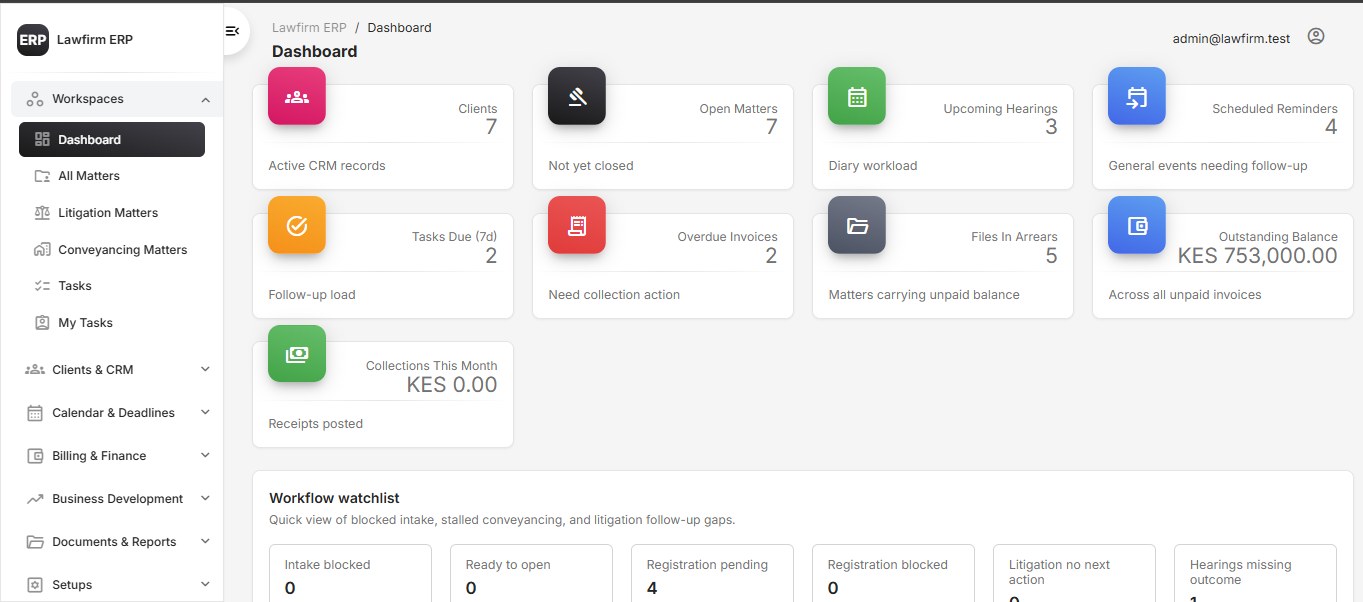
LawFirm ERP is a complete legal practice management system built for modern law firms, advocates, and legal departments that need one organized platform to manage firm operations. The system helps a law firm handle clients, organizations, contacts, matters, litigation files, conveyancing workflows, billing, finance, documents, hearings, deadlines, staff tasks, permissions, business development, and firm administration from one central dashboard. It is designed for firms that want to reduce manual tracking, avoid scattered files, improve accountability, manage deadlines, control billing, and organize legal workflows in a secure web-based system. The application includes an installer, role-based access control, license management, admin settings, setup modules, document registry, financial tracking, matter workflows, task management, calendar events, and reporting tools. This is suitable for law firms that want a deploy-ready ERP system that can be branded, customized, and hosted on their own domain.
Quick facts +
Demo information +
Status: online
Credentials: admin@lawfirm.test/ admin12345
Demo URL: https://lawfirmerp.buildpreview.top/ Admin Demo: Email: demo-admin@example.com Password: Demo@12345 Staff Demo: Email: demo-staff@example.com Password: Demo@12345 Note: Demo credentials may be changed or disabled for security.
Features +
Tech stack +
Who is this for? +
What’s included +
- Complete LawFirm ERP source code
- CodeIgniter 4 application
- Installer support
- Database-ready structure
- Admin dashboard
- CRM module
Requirements & installation +
Requirements
- PHP 8.1+
- MySQL or MariaDB
- Composer
- Apache/Nginx server
- PHP extensions: mbstring
Installation
- 1 Upload the project files to your hosting account.
- 2 Point the domain document root to the public folder.
- 3 Create a MySQL database.
- 4 Copy .env.example to .env.
- 5 Add your database
- 6 app URL
- 7 email
- 8 and license settings.
- 9 Run the installer or import the provided database structure.
- 10 Set folder permissions for writable directories.
- 11 Login as admin and configure firm settings
- 12 users
- 13 roles
- 14 modules
- 15 and setup data.
Support & delivery +
Support included: Yes
Updates included: Yes
Duration: 6 months
Delivery method: Source code download + setup documentation
Scope: Use https://lawfirmerp.buildpreview.top/ as the demo URL. Do not use https://demo.buildpreview.top/lawfirm-erp/ unless the document root is fixed to point to the CodeIgniter public folder. Upload the clean zip as the downloadable file. Do not upl
You may also like